
How to Invite a Buyer or Seller to a Deal on Zoooom
Already found your buyer or seller somewhere else — a neighbor, a Craigslist post, a Facebook Marketplace listing? You can bring them onto Zoooom and run the whole transaction through verified identities, tracked offers, and a protected handoff. There are two invites, and they work differently depending on who you're bringing in.
Two invites, two directions
The invite you send depends on which side of the deal you're on. They use different links and land the other person in a different place — so it's worth knowing which one you need before you start.
Buyer invite
You're the seller
- You have a car listed (or a deal open) and want a specific person to come buy it.
- They land on your listing and join the deal as a buyer.
Seller invite
You're the buyer
- You found a car (or a seller) and want them to bring it onto Zoooom.
- They land in their garage to publish a listing that attaches to your deal.
Buyer invite — a seller brings a buyer to a listing
Use this when you're selling and already have someone in mind. Here's the full flow:
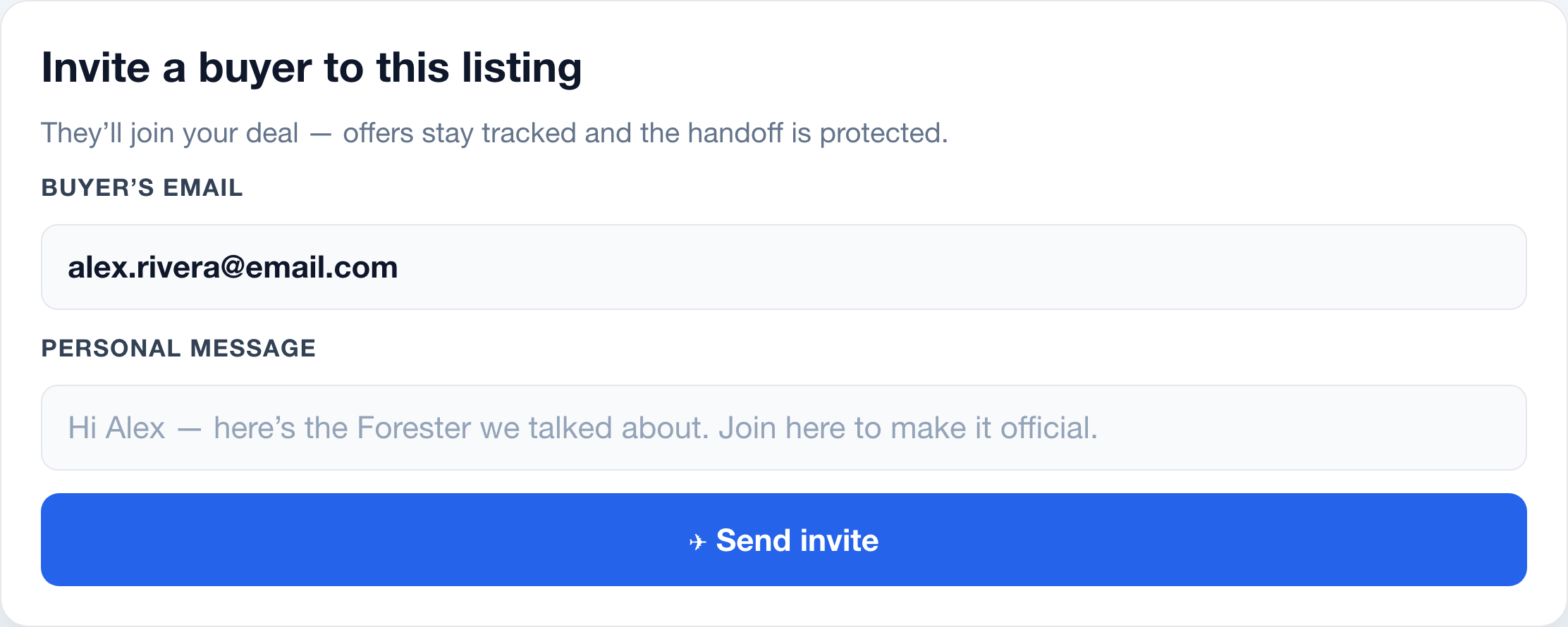
- Open "Invite Buyer." From your active deal or listing, choose Invite Buyer and enter one or more email addresses. You can add a short personal note.
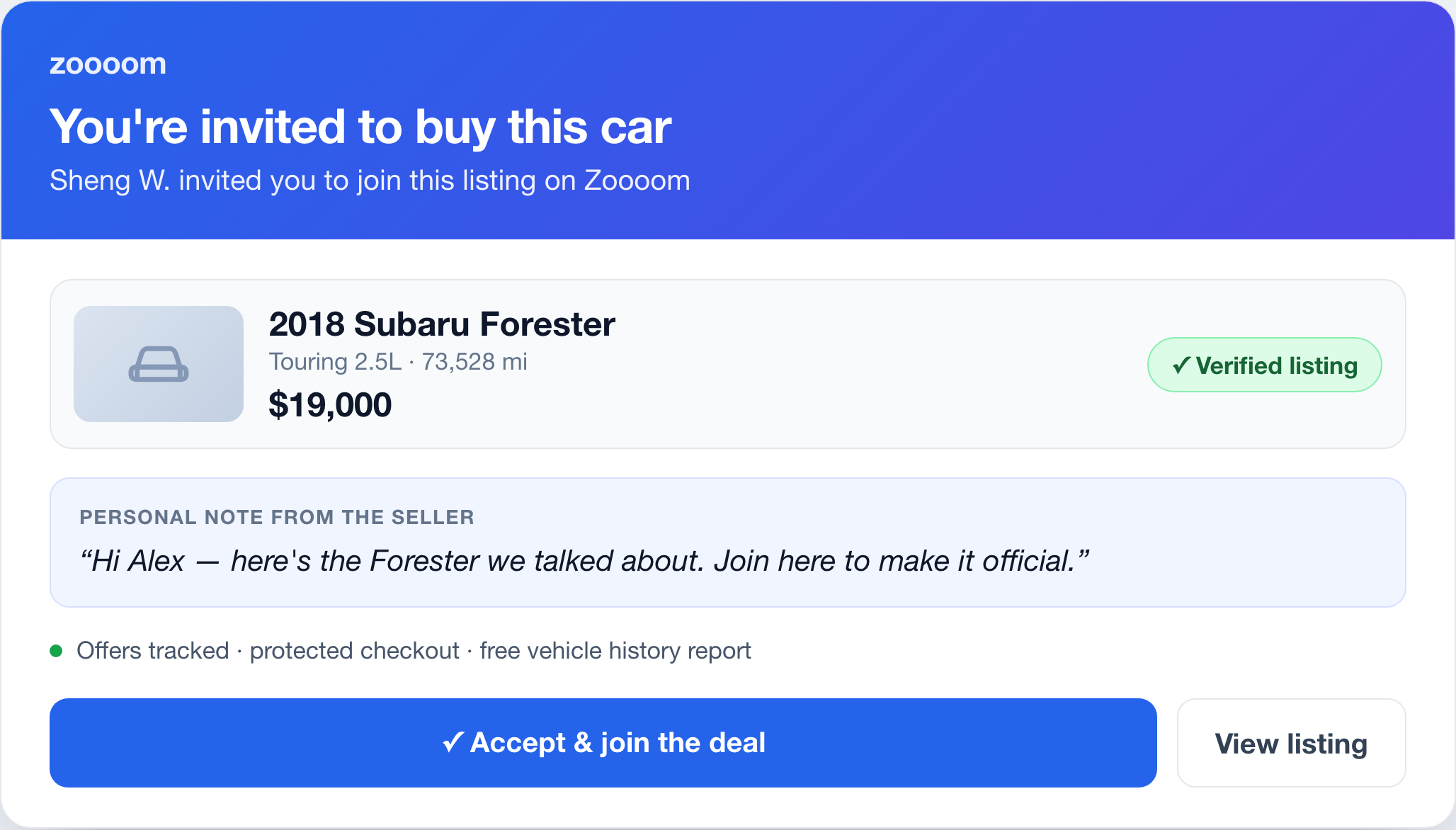
- Each person gets an email. Zoooom sends a secure, single-use link to your listing. If they're already a Zoooom user, it also shows up in their inbox.
- They preview the car. The link opens a page showing the vehicle, photo, price, your name, and your message — no account needed just to look.
- They join with a free account. To accept, they create a free Zoooom account (or sign in). The invite accepts automatically once they're in.
- They're added to the deal. They land on the deal page as a buyer and can make an offer — from there it's the normal Deal Center flow of offers, counters, and a protected handoff.
Seller invite — a buyer brings a seller onto Zoooom
Use this when you're buying and the car (or the seller) isn't on Zoooom yet. The flow has one extra step, because the seller needs to publish their car:
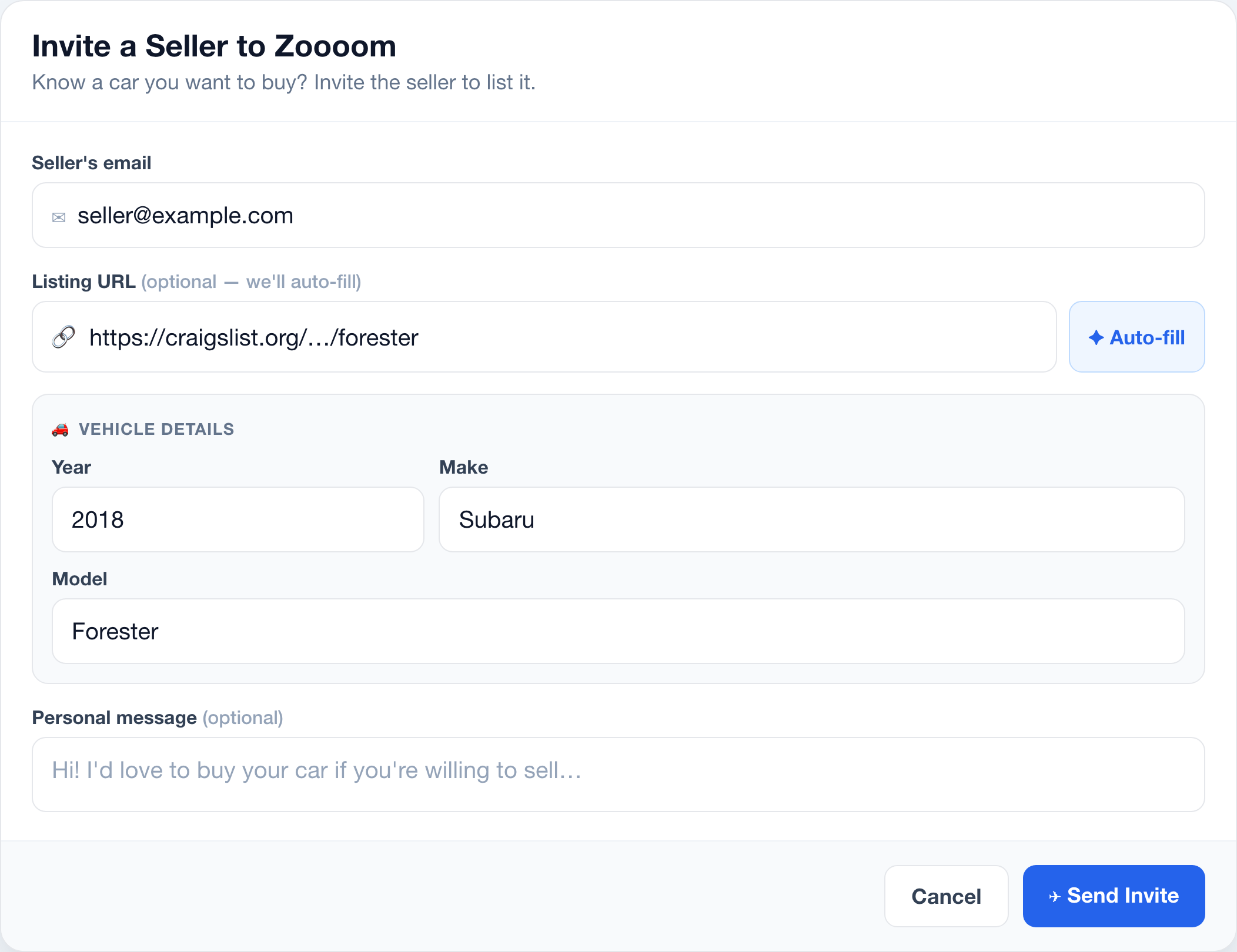
- Open "Invite Seller." From your deal, choose Invite Seller and enter the seller's email, with an optional note. You can invite someone even before they have a listing.
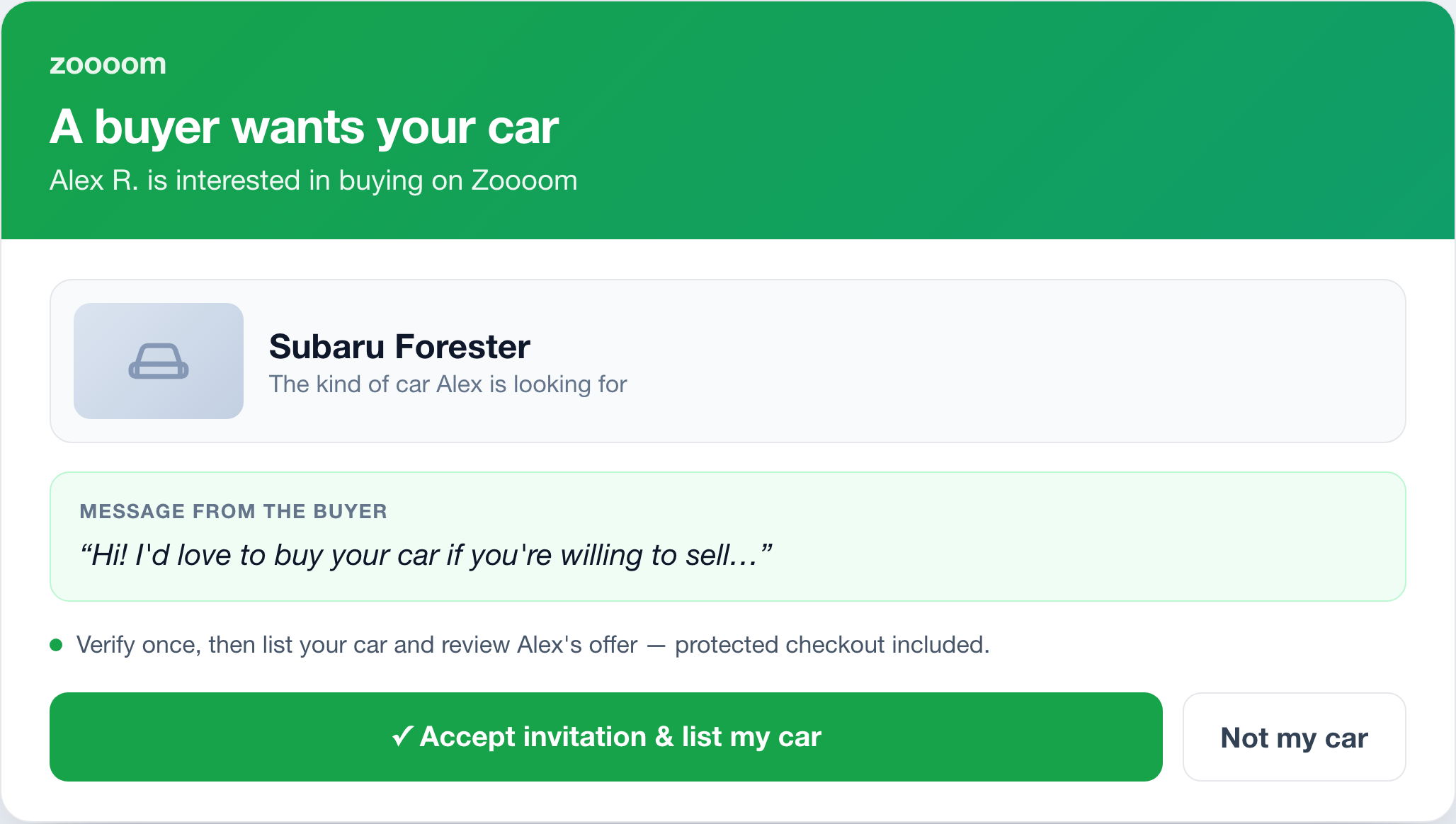
- The seller gets an email. They receive a secure link — a different landing page from a buyer invite — letting them know a buyer is interested.
- They preview who's interested. The page shows your first name and last initial, the kind of vehicle you're after, and your message.
- They accept with a free account. They create a free account (or sign in) and accept. You get an email and an inbox note that your seller accepted.
- They publish their car. They're taken to My Garage to list the vehicle through the normal listing flow. When they publish, the listing attaches to your deal automatically.
- You make your offer. The car appears on your deal and you can make an offer — normal Deal Center flow from there.
Managing your invites
Every invite you send is tracked in the invite panel on the deal, so nothing gets lost:
- Pending list. See who hasn't responded yet.
- Resend or copy the link. Nudge someone again, or grab the link to send it your own way.
- Cancel. Pull back an invite that's no longer needed.
- Auto-expiry. Pending invites expire after a set window so old links don't stay live forever.
Why bring your own deal onto Zoooom
For buyers
Don't hand cash to a stranger
- Found a car on classifieds? Invite the seller so their identity and title are verified.
- Your payment runs through Zoooom's protected flow instead of a parking-lot cash handoff.
- Every message and offer is tracked in one place.
For sellers
Close with someone you trust
- Already have an interested buyer? Invite them so the offer and payment are handled safely.
- You only deal with a verified buyer, not an anonymous "is this still available?" stranger.
- The sale finalizes with a dual-confirmed handoff.
Common questions
What's the difference between a buyer invite and a seller invite?
A buyer invite is sent by a seller to bring a buyer onto an existing listing or deal — the buyer lands on the listing and joins the deal. A seller invite is sent by a buyer to bring a seller and their car onto Zoooom — the seller lands in their garage to publish a listing that attaches to the buyer's deal. Different links, different landing pages.
Does the person I invite need a Zoooom account?
They can open the link and preview it without an account, but they create a free account to accept. Identity verification isn't required just to accept — it comes later, only at the points that matter, like making an offer, listing a car, or moving money.
Do invites expire?
Yes. Pending invitations expire after a set window. You can resend, copy the link, or cancel any pending invite from the deal's invite panel.
Bring your buyer or seller onto Zoooom
Start a deal, then invite the other side to transact with verified identities and a protected handoff.
Related: How offers & negotiation work · How Zoooom verifies everyone you deal with · How a sale closes safely · How listing your car works.